NDIS · Finance
NDIS: Time, pay and invoices — the finance tour
Finance's screens, one picture each: approving time, the pay run, invoices, NDIS claims. About ten minutes.
7 lessonsCorella’s own course, word for word, with pictures from its demo
Lesson 1
Start here
This course walks through finance's screens, with a picture of each from Corella's demo, with made-up people: time worked becomes pay and invoices.
Open each screen as you go.
About ten minutes, then three short questions.
Lesson 2
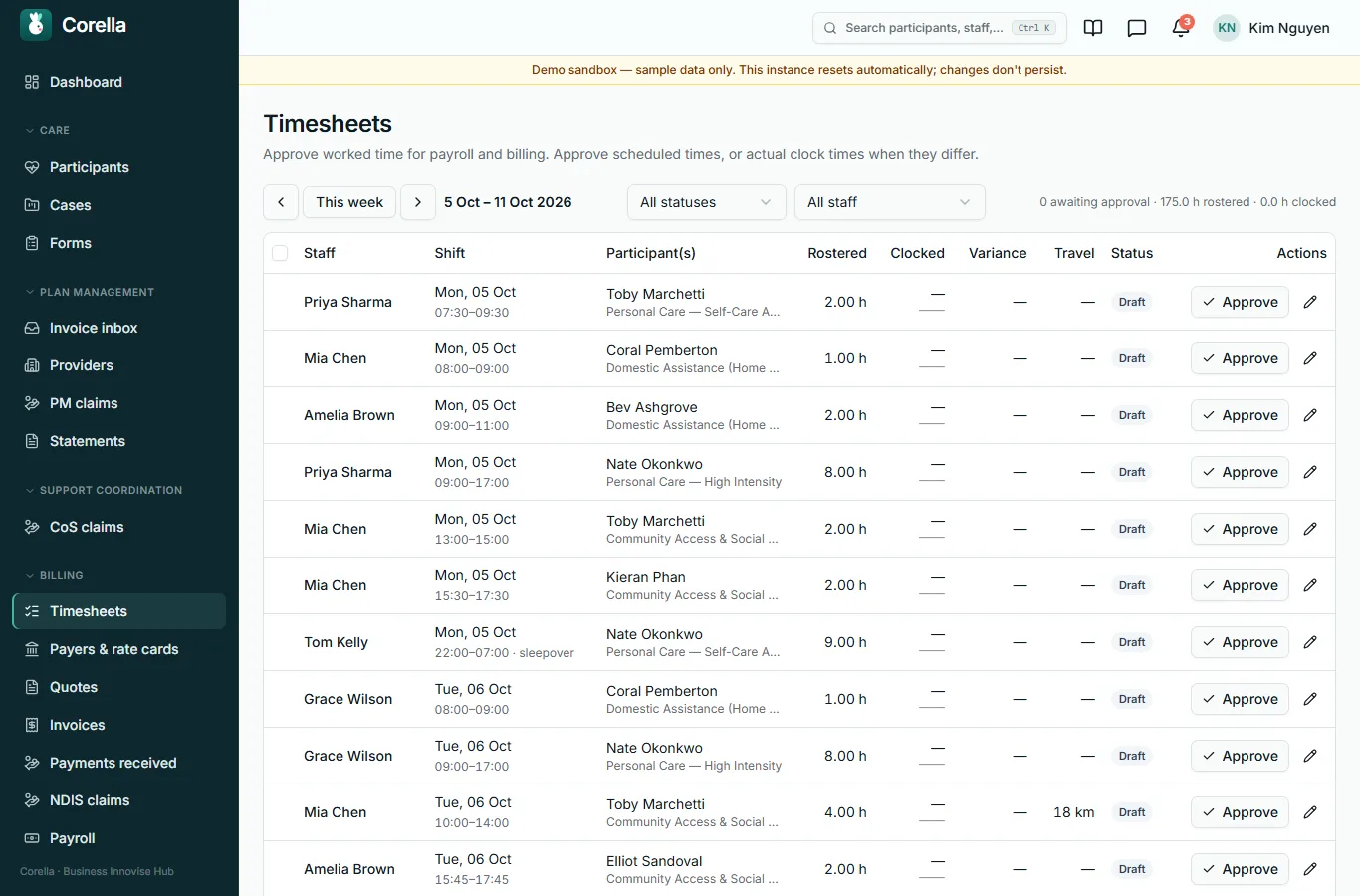
Timesheets
Worked time to approve for payroll and billing.
Each line shows the rostered hours, the clocked hours and the difference; approve the rostered time, or the clocked time when they differ.
Lesson 3
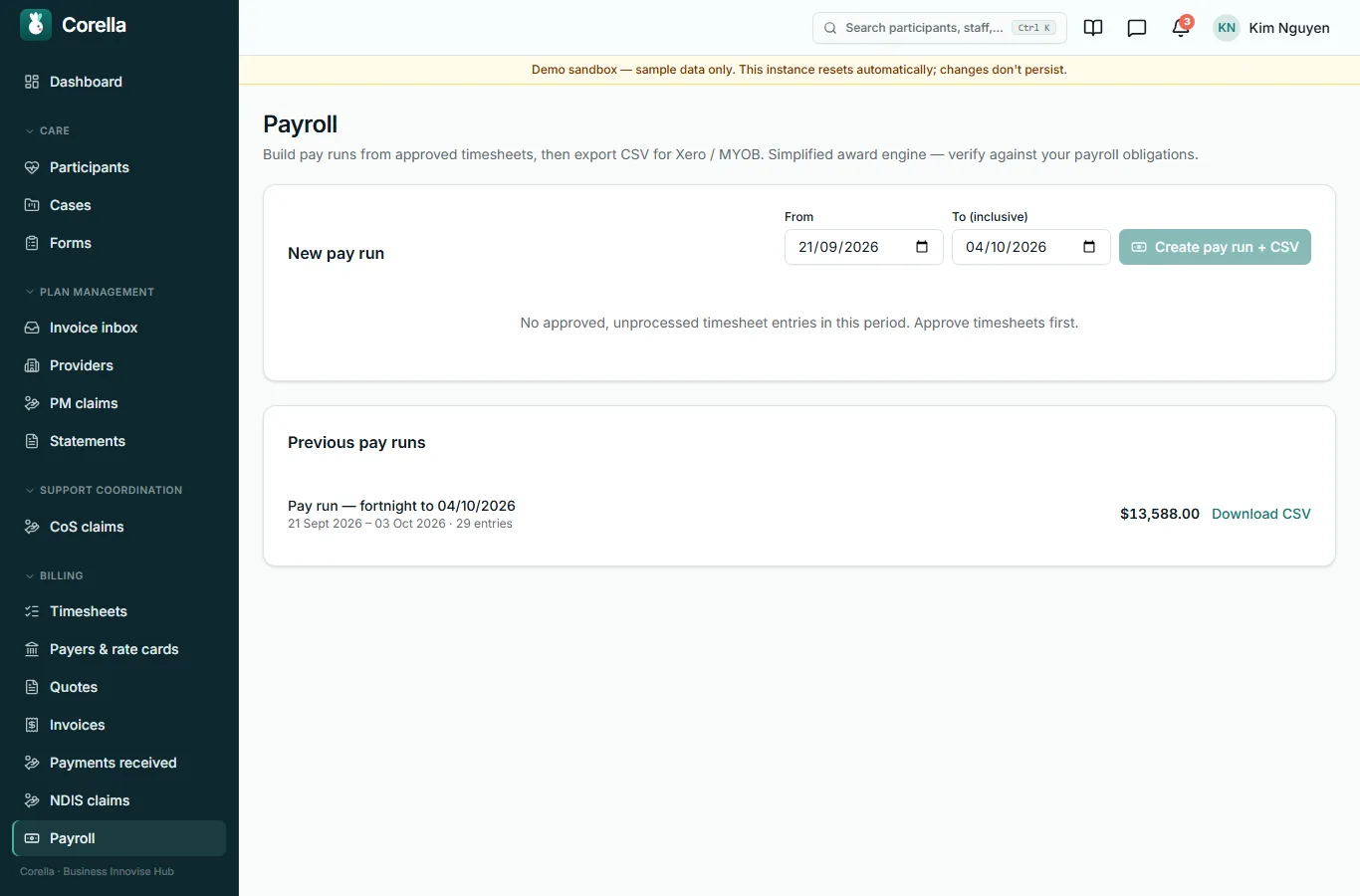
The pay run
A pay run is built from approved timesheets for the dates you choose.
Its hours go to Xero Payroll when Xero is connected, or out as a CSV file for your payroll software.
Previous runs stay here with their files.
Lesson 4
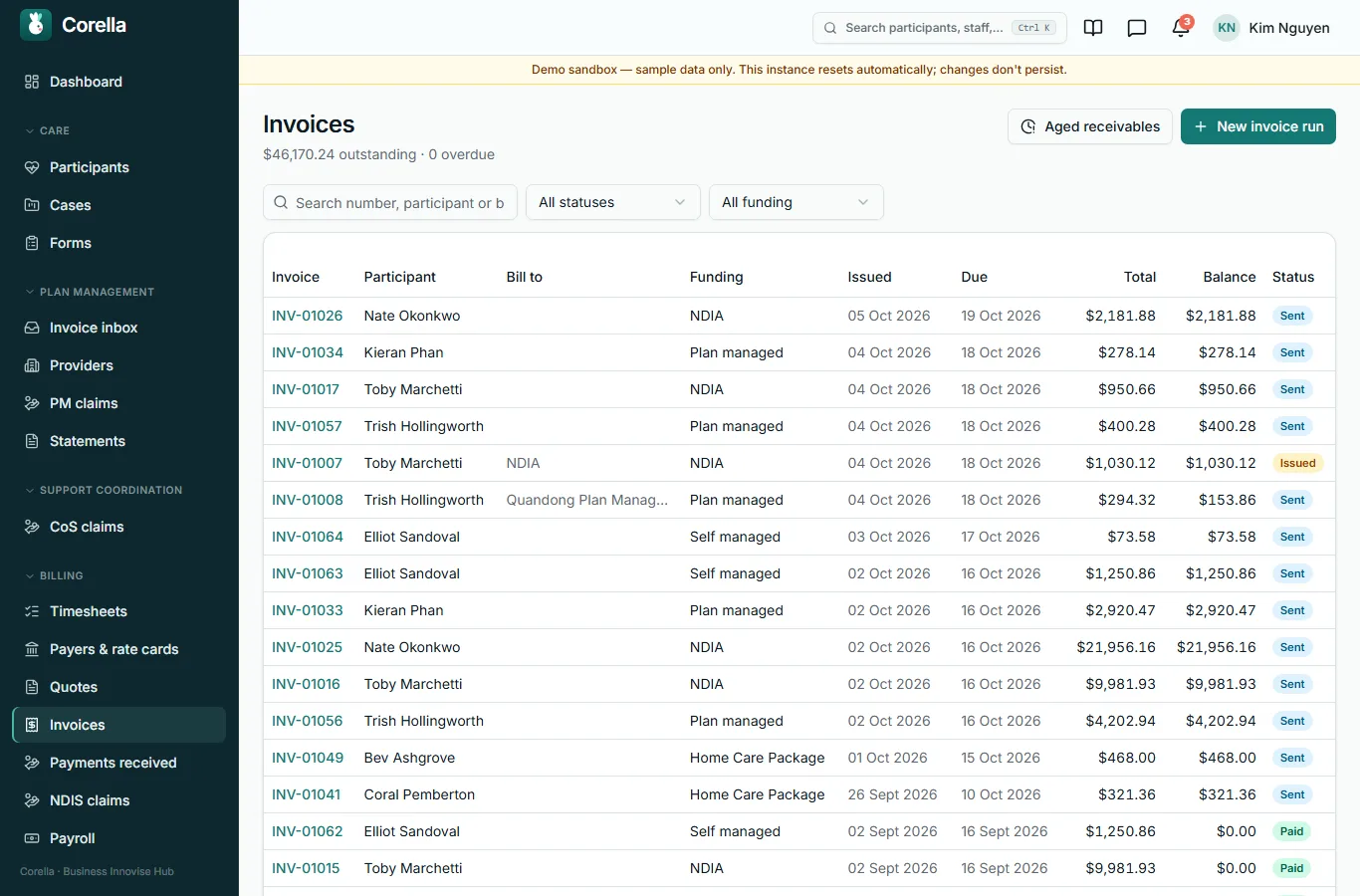
Invoices
Every invoice, with what is owed and what is overdue.
An invoice run bills the delivered shifts in one go; Aged receivables shows who owes what, and for how long.
Lesson 5
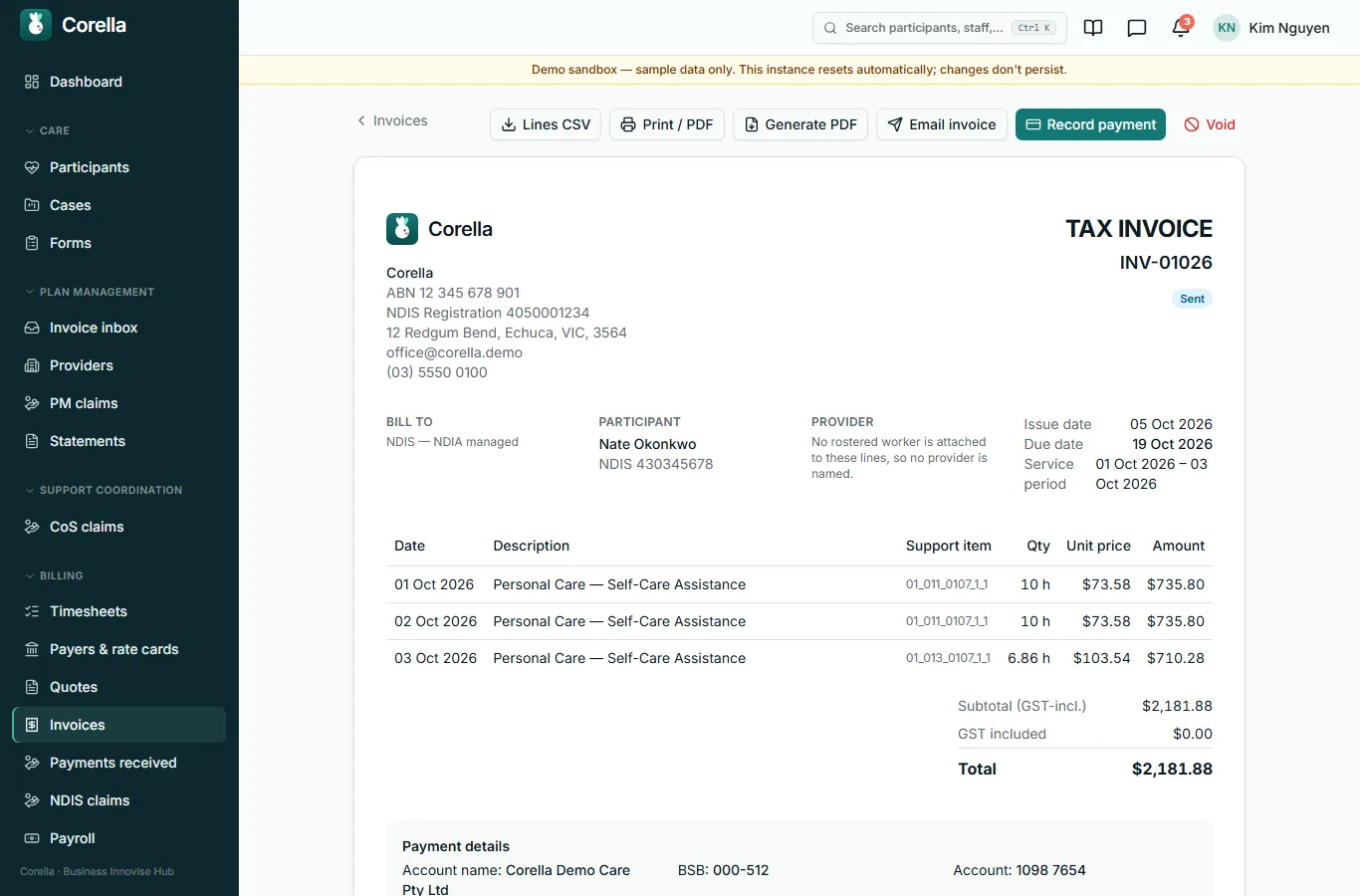
An invoice
An invoice as it is sent: print it or make a PDF, email it, record a payment against it, or void it.
Lesson 6
NDIS claims
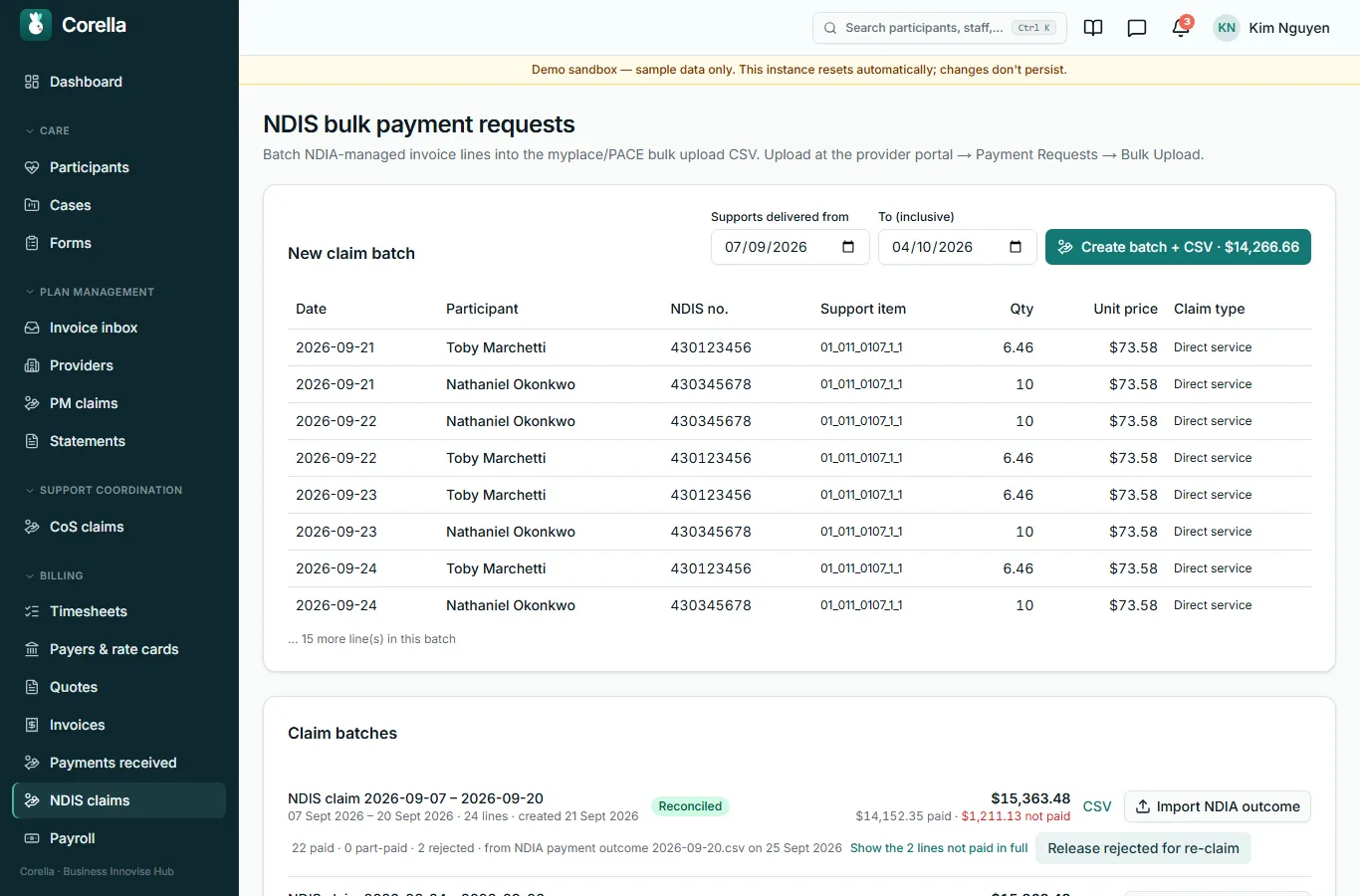
Participants whose plans the NDIA manages are claimed in bulk: Corella gathers the invoice lines for the dates you choose into the bulk-upload file the NDIA's provider portal takes, and when the NDIA's outcome comes back you import it here — each line is marked paid or rejected, and a rejected line can be released to claim again.
Lesson 7 · check yourself
Three questions
Three questions on what this course showed.
You need two of three.
1. A pay run is built from approved timesheets.
- True
- False
Show the answer
True
2. Where do you record that an invoice has been paid?
- On the invoice
- On the timesheet
- In the pay run
- In Settings
Show the answer
On the invoice
3. Aged receivables shows who owes what, and for how long.
- True
- False
Show the answer
True

Rather see it live? Book a walkthrough.
Thirty minutes on a live instance, starting from how your organisation works today.