NDIS · Coordinator
NDIS: The roster and your participants — the coordinator's tour
The coordinator's screens, one picture each: the day, the roster, the participants and what needs attention, a record, the notes, new referrals and incidents. About ten minutes.
9 lessonsCorella’s own course, word for word, with pictures from its demo
Lesson 1
Start here
This course walks through the screens a coordinator works in, with a picture of each from Corella's demo, with made-up people.
Open each screen as you go.
About ten minutes, then three short questions.
Lesson 2
The dashboard
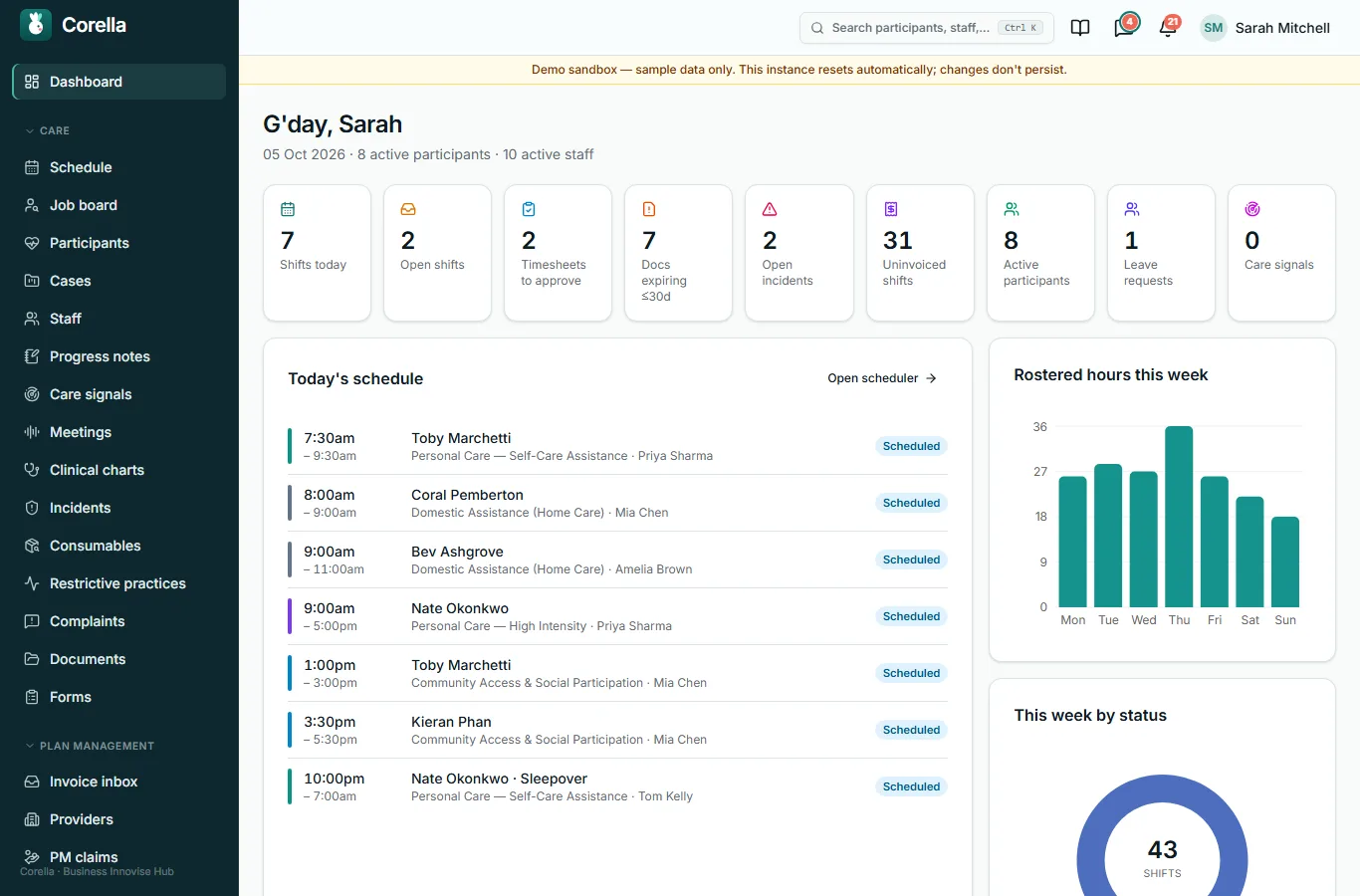
The day at a glance: shifts today, open shifts, timesheets to approve, documents expiring, open incidents and work waiting to be billed — each a link to the screen that deals with it.
Lesson 3
The roster
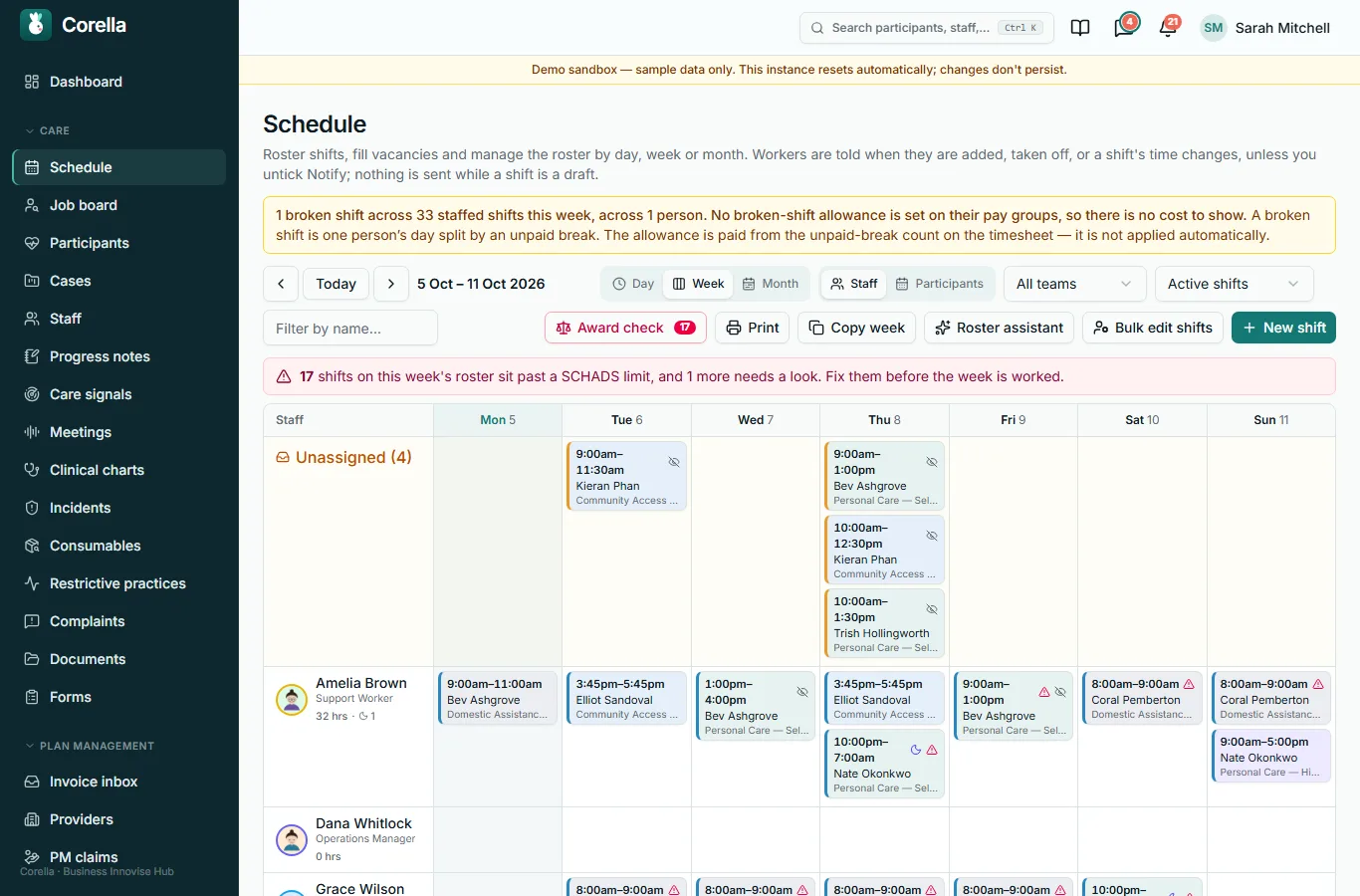
The roster by day, week or month, by staff or by participant.
In the day and week views, click an empty cell to roster a shift, or a shift to open it.
A shift that breaks an award rule is flagged before the week is worked.
Lesson 4
Your participants, and what needs attention
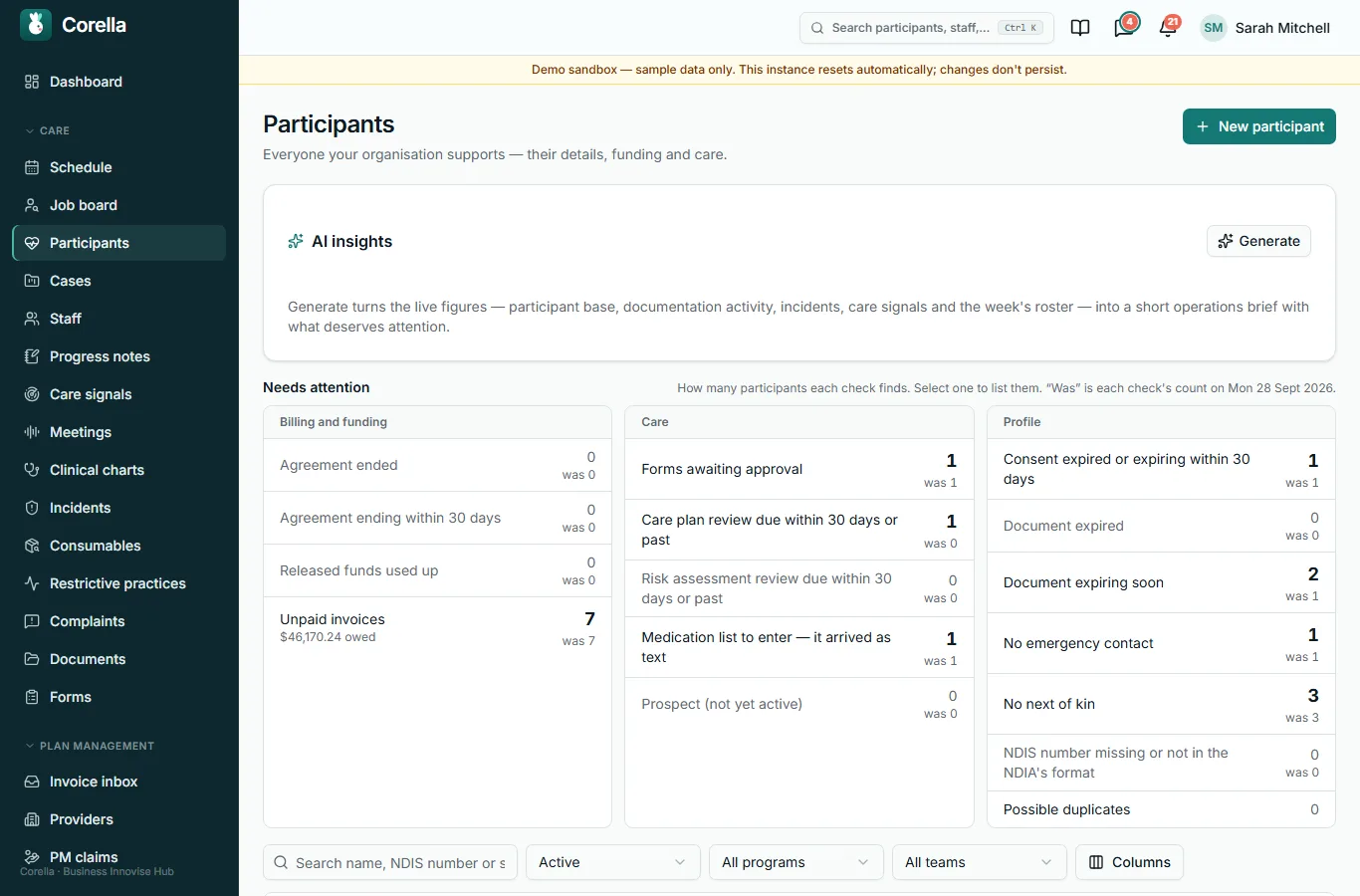
Every participant, with Needs attention above the list: agreements ending, forms waiting, plans due for review, documents expired and more — each count opens the participants it is about.
Lesson 5
A participant's record
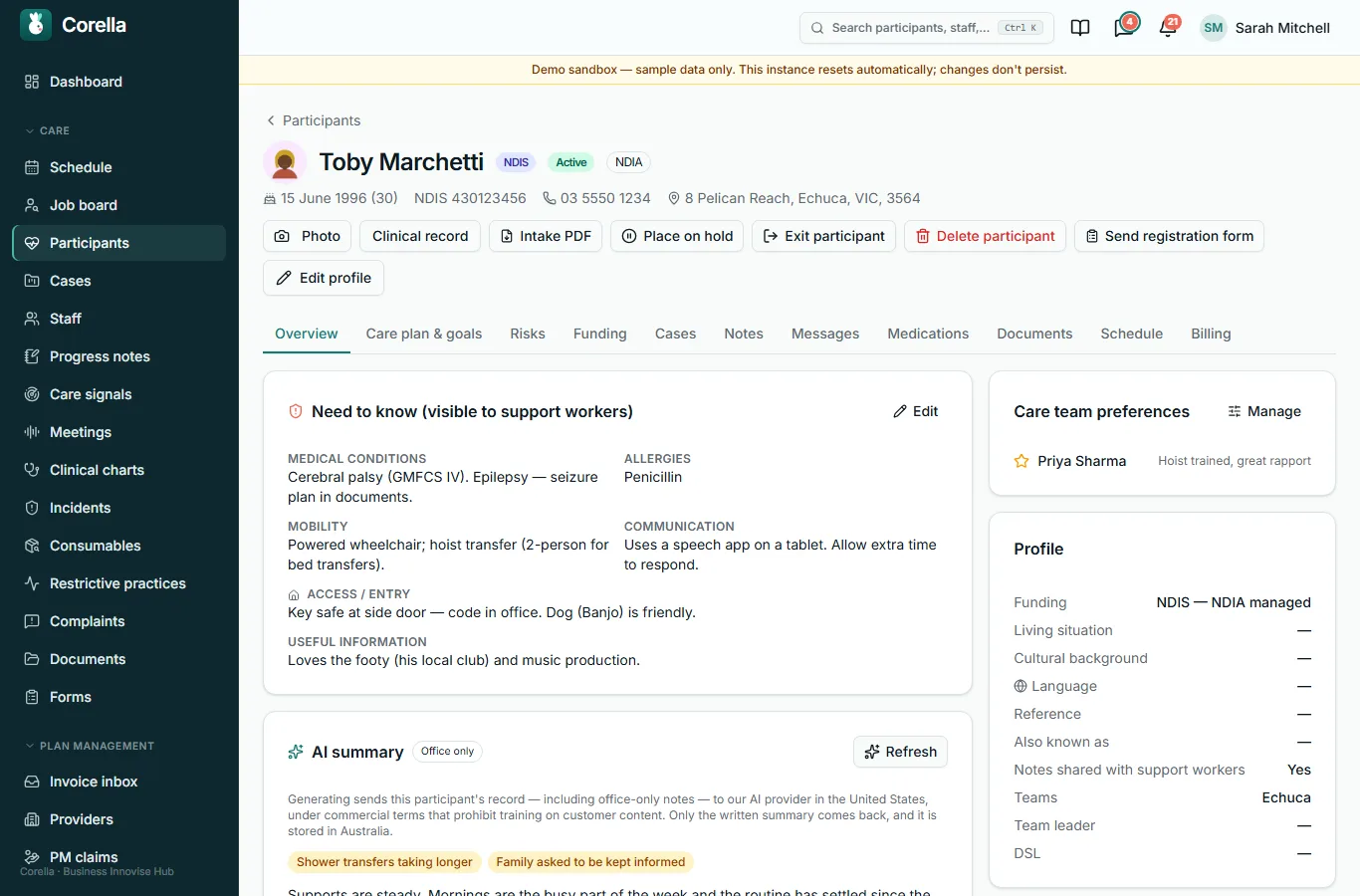
One record holds the participant: their details, what support workers need to know, their plan, risks, funding, notes, medicines, documents and shifts, each on its own tab.
Lesson 6
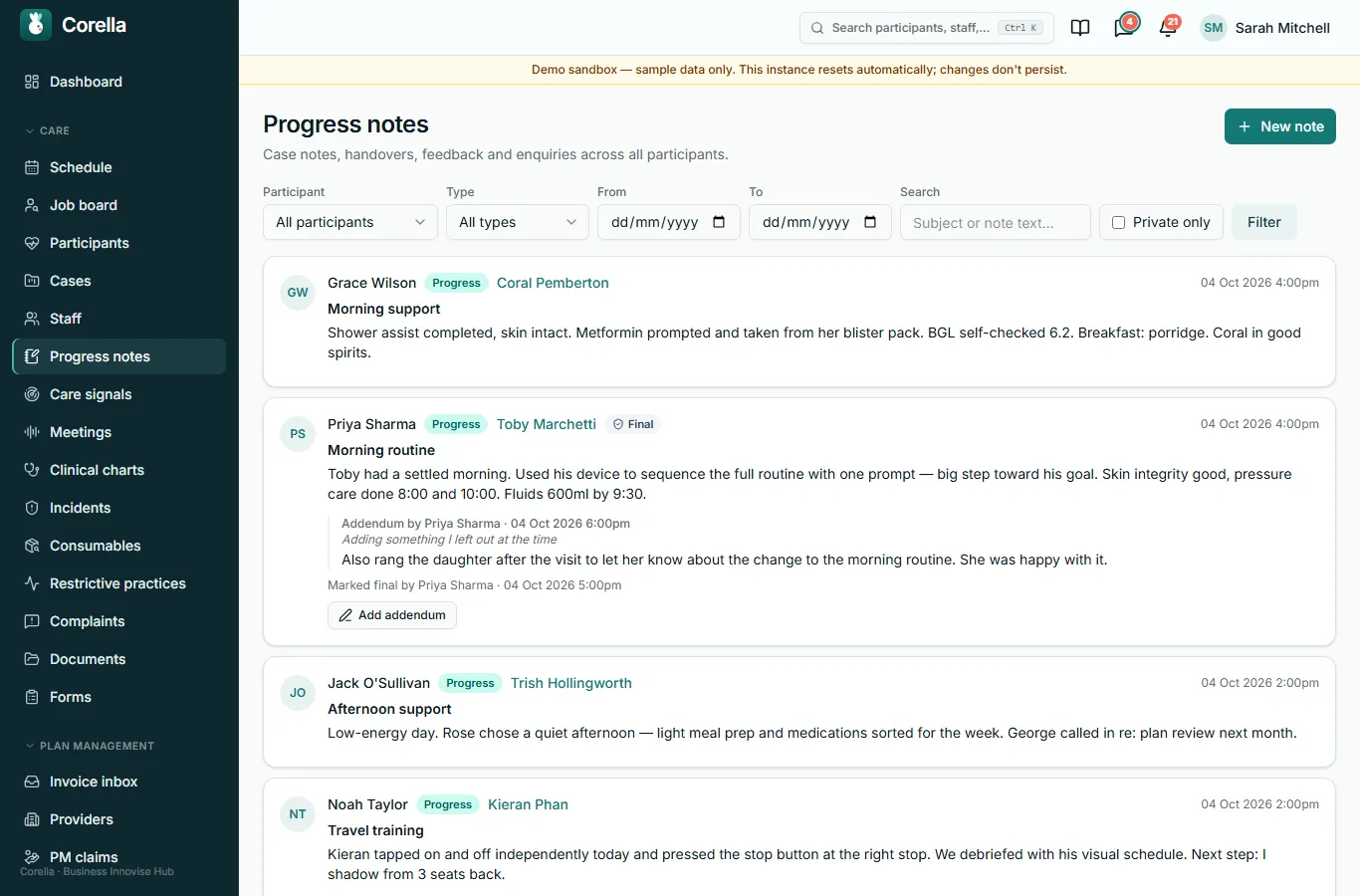
Progress notes
Every note, newest first, from every shift.
Filter by participant, type or date; on the Progress notes screen, mark a note you wrote final, or ask for it to be countersigned.
Lesson 7
The Intake queue
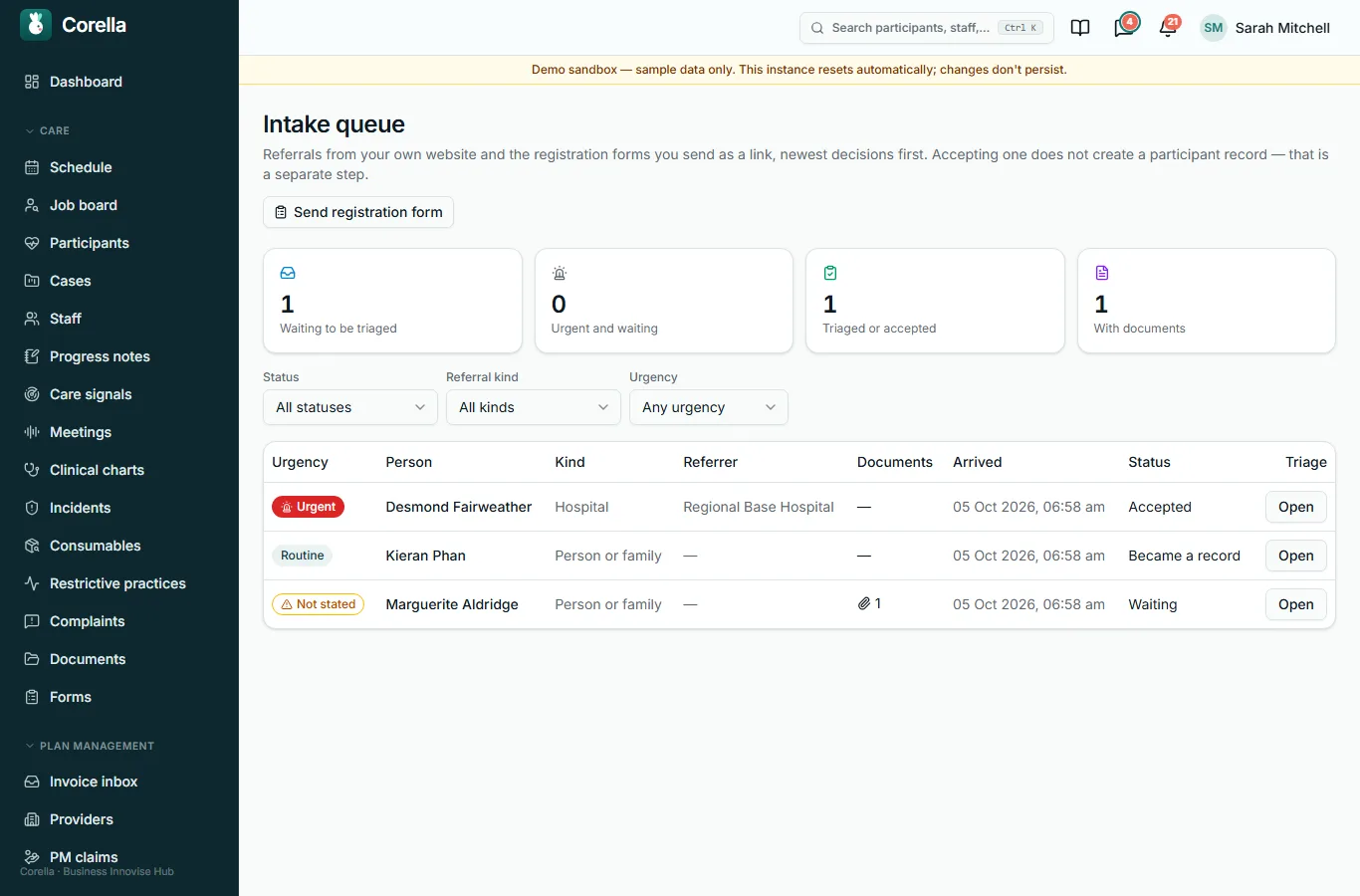
Referrals from your own website land here, and so do the registration forms you send someone as a link.
Open one to triage it: how urgent it is, where it has got to — Triaged, Accepted or Declined, with why — and a triage note.
An accepted referral can then be made a participant record.
Lesson 8
Incidents
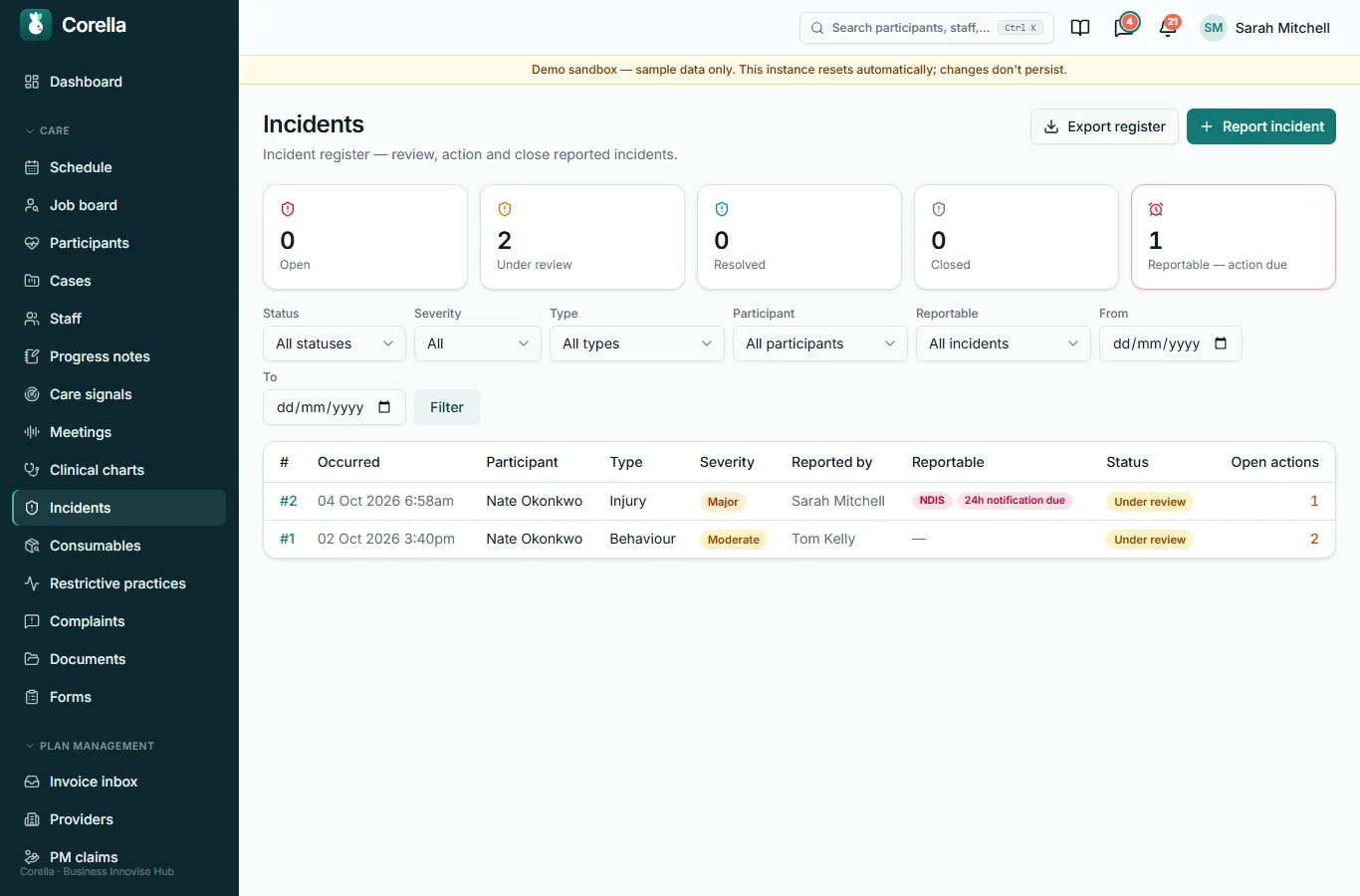
The incident register: every report from the support workers' phones and the office, where it is up to, and anything reportable with its due date.
Open one to work it through: Start review, add the follow-up actions still to be done, Mark resolved, and close it.
Lesson 9 · check yourself
Three questions
Three questions on what this course showed.
You need two of three.
1. The roster flags a shift that breaks an award rule before the week is worked.
- True
- False
Show the answer
True
2. Where do referrals from your own website arrive?
- The Intake queue
- Messages
- Progress notes
- Reports
Show the answer
The Intake queue
3. Needs attention counts each kind of problem and opens the participants it is about.
- True
- False
Show the answer
True

Rather see it live? Book a walkthrough.
Thirty minutes on a live instance, starting from how your organisation works today.