Aged care · Owner
Aged care: Running the practice — the owner's tour
The owner's screens, one picture each: the day, Settings, staff and compliance, training — making your own courses, optional or mandatory — quality and reports. About ten minutes.
9 lessonsCorella’s own course, word for word, with pictures from its demo
Lesson 1
Start here
This course walks through the screens an owner runs the practice from, with a picture of each from Corella's demo, with made-up people — including how to make your own staff courses like this one, and set each optional or mandatory for the roles you choose.
The owner sees every screen and every setting.
About ten minutes, then three short questions.
Lesson 2
The dashboard
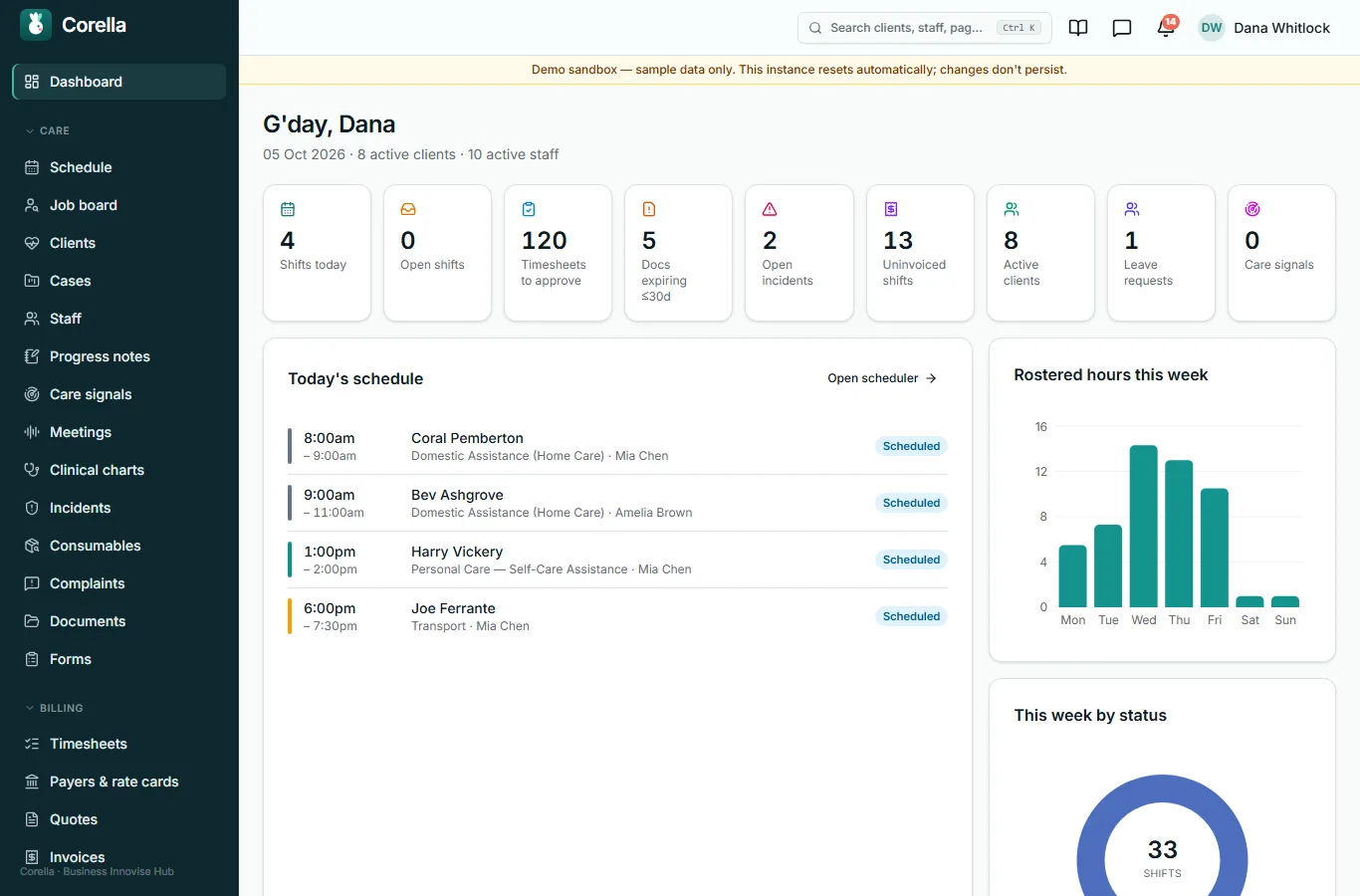
The day at a glance: shifts today, open shifts, timesheets to approve, documents expiring, open incidents, active clients and staff — each a link to the screen that deals with it.
Lesson 3
Settings
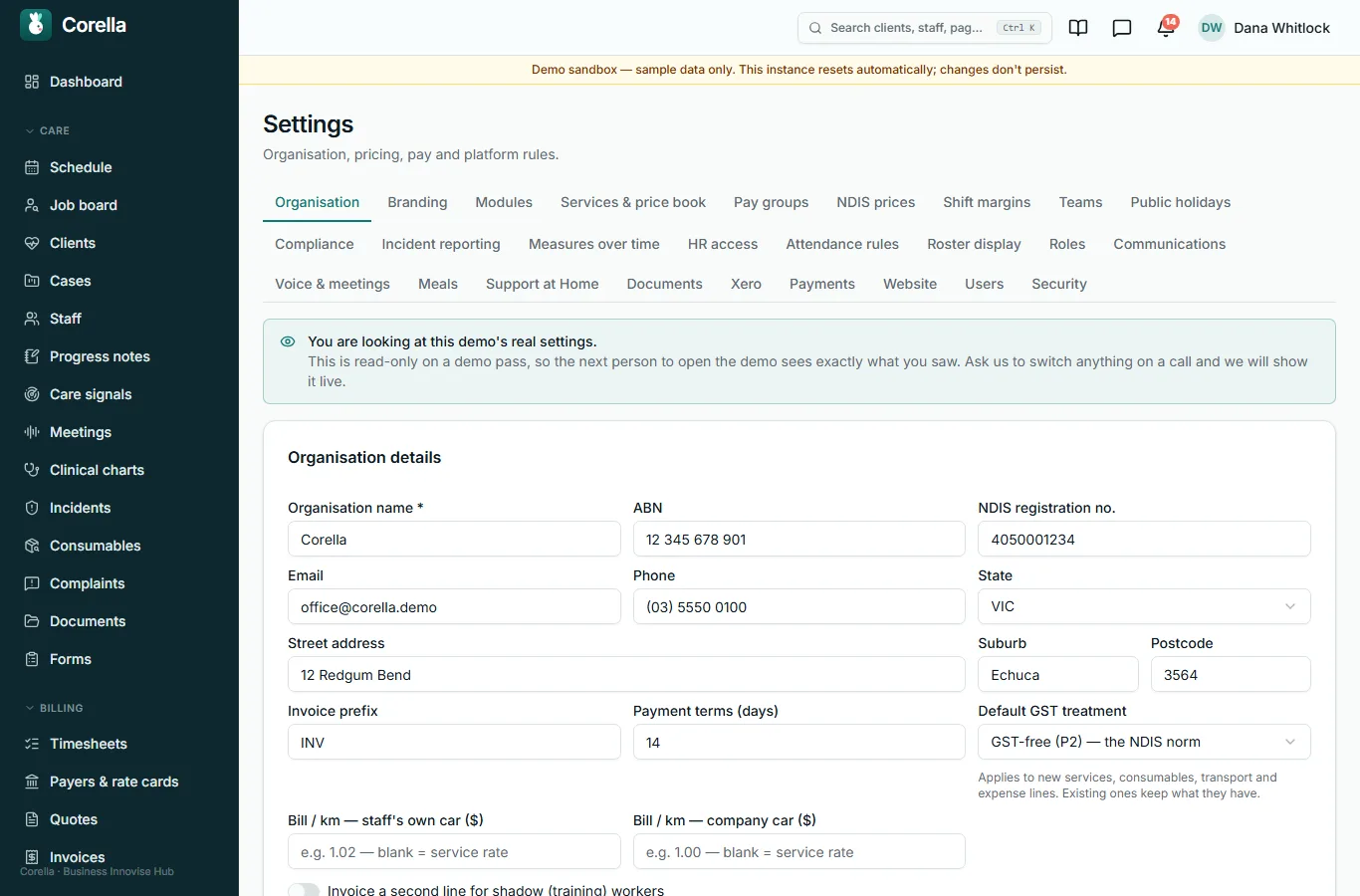
Your organisation's details, branding, the modules you use, services and prices, pay groups, roles and more, each on its own tab.
Lesson 4
Staff and compliance
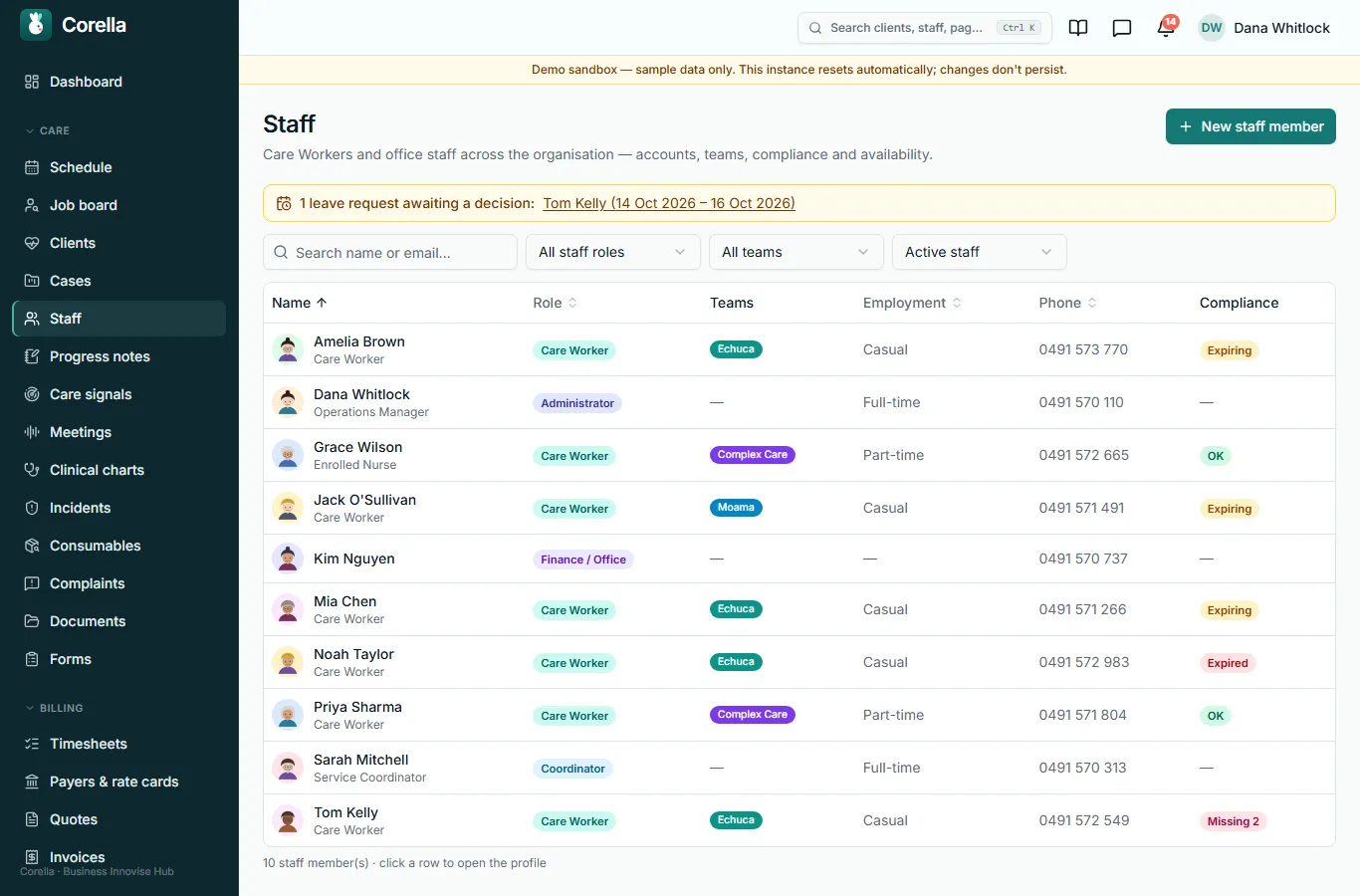
Every staff member, their role and teams, and their compliance at a glance: what is current, expiring, expired or missing.
Lesson 5
Training
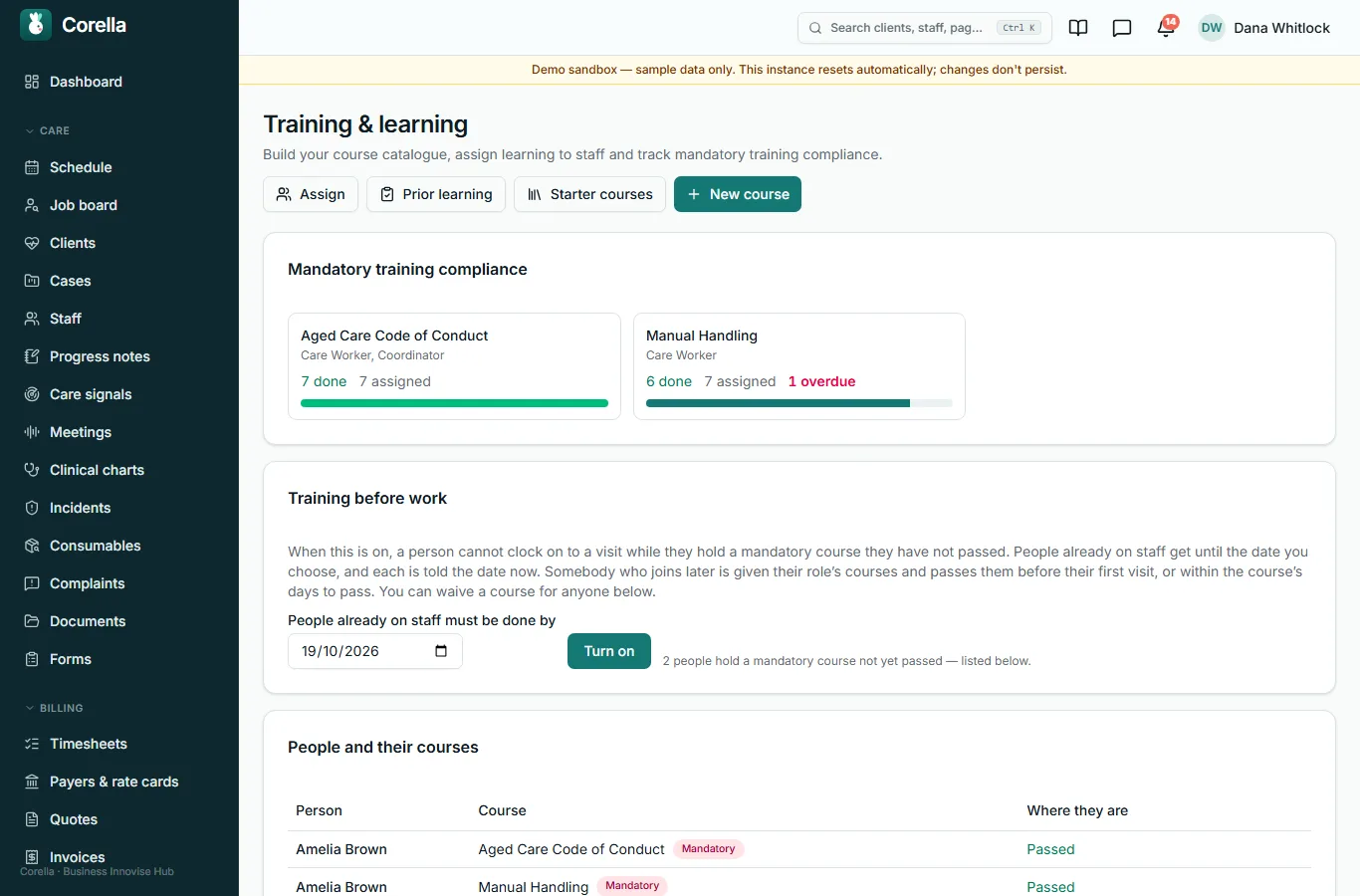
Every course, who has it and who has passed it.
Mandatory training compliance shows each mandatory course's progress; Training before work, once you turn it on, stops a person clocking on until they have passed their mandatory courses — people already on staff get until a date you choose.
Lesson 6
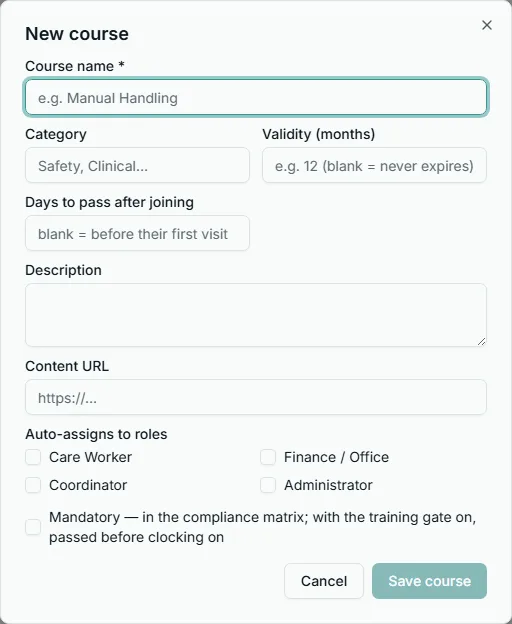
Making your own course
New course makes one like this: give it a name, choose the roles it is assigned to automatically, and tick Mandatory if they must pass it — or leave it optional.
Then add its steps: reading, a video, a document or picture, and a test.
Lesson 7
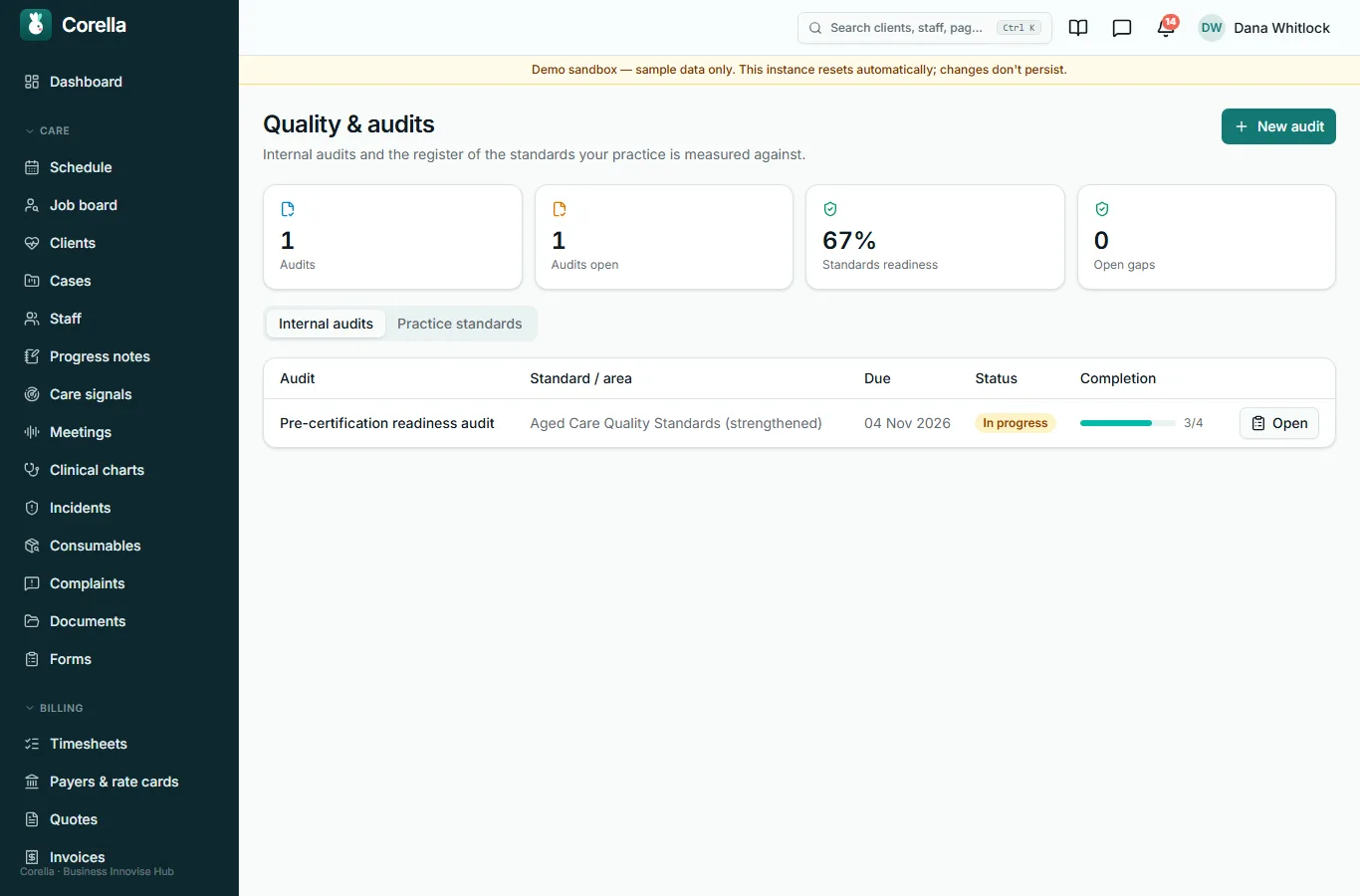
Quality and audits
Internal audits and the register of the standards your practice is measured against, with how ready you are for each.
Internal audits has New audit; Practice standards has Add standard.
Lesson 8
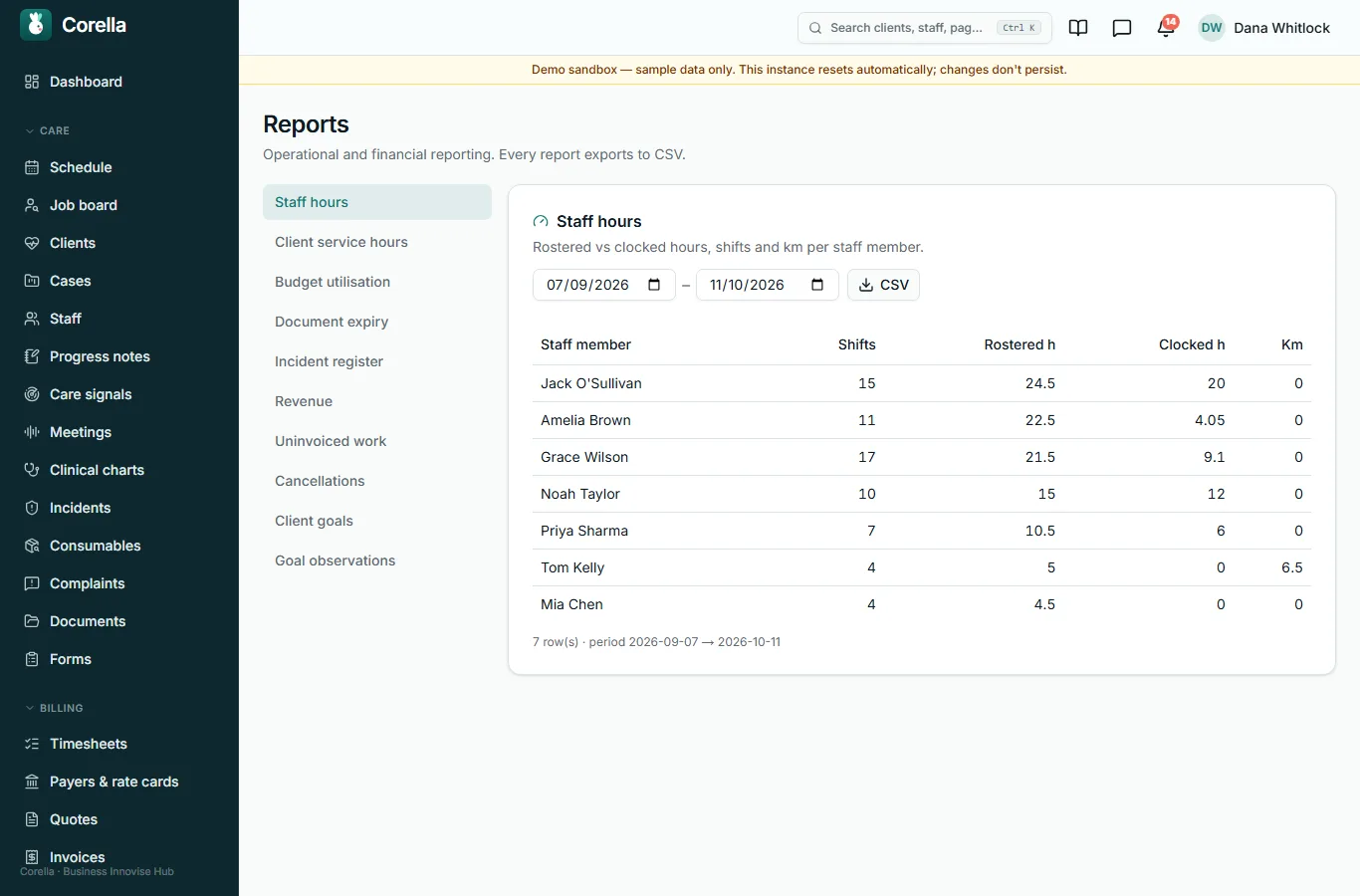
Reports
Operational and financial reports — hours, service delivered, budgets, documents, incidents, revenue and more — each exported to a spreadsheet.
Lesson 9 · check yourself
Three questions
Three questions on what this course showed.
You need two of three.
1. A course you make can be optional or mandatory for the roles you choose.
- True
- False
Show the answer
True
2. What does Training before work do once it is on?
- Stops a person clocking on until they pass their mandatory courses
- Emails every course to every staff member
- Deletes courses nobody has finished
- Nothing on a phone
Show the answer
Stops a person clocking on until they pass their mandatory courses
3. Every report exports to a spreadsheet.
- True
- False
Show the answer
True

Rather see it live? Book a walkthrough.
Thirty minutes on a live instance, starting from how your organisation works today.